
HD Video:Max Player1.0 - Get APK
You'll be able to download in few seconds.
Publisher Description
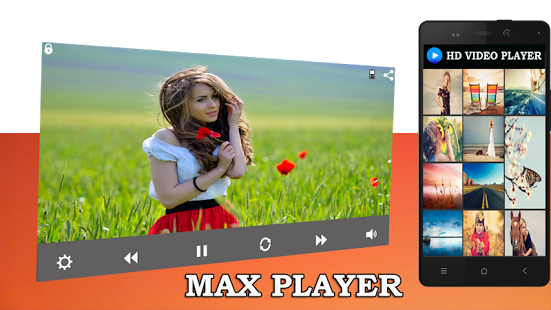
HD Player MAX Media : enjoy your HD video and Music.
Max Player:HD Video Player is the best video player HD. Enjoy high quality videos plays smoothly.
The easiest phone video player has a powerful video decoding capability to easily support you play almost all video files stored on your phone.
Watch The TV shows, movies, videos as well as locally stored FLV, MKV , MP4 , MP3 , AVI , MOV , WAV , VOB ,FLAC video files.MAX Player Video player for android
is high quality media player. And Android operating system which allows you to watch all popular video formats on your phone or tablet. Video player.
Get This Best 4K Ultra HD video player in android platform. "Max Video Player" is
the most powerful media and video player in Andoid apps Market.
The Latest HD video Player now in your hand .
Most Powerful HD Video Player with High Quality Graphics.
Max HD Video Player Ultimate Perfectly Supports all Popular Video Formats.
Ultra HD Video Player Ultimate perfectly supports all popular video formats.
It uses hardware decoding, which make video play smoother. Its smart core technology auto detects video and audio formats and makes
it much easier for you to enjoy smoother better quality videos.
you will love this video player after using it.If you are pursuing a video player
with the better user experience and user interface.
It much easier for you to enjoy smoother, best quality videos.
This is the best mp3 music player with Ac3 file supports you are going to love it.
This Ultra HD Max Media Player Support all available formate as AVI Player,MP4 player ,3GP PLayer FLV Player,MKV Player,Ac3 Player,VOB Player MP4/3GP Video Player etc.
Its Super Quality Movie Player that support Full HD video Player and Controls.
*** Feature ***
:> VOB Files Supported
:>AC3 audio supported
:>Graphics optimization for high fps.
:>No plugins required.
:>automatic search all mobile phone video and music files
:>supports all video and audio playback formats
:> Auto Scan all mobile video and music .
:> Supports All video formats (avi, m4v, mp4, wmv, flv, mpeg, mpg, mov, rm, vob, asf, mkv, f4v, ts, tp, m3u, m3u8,ac3,mp3..etc)
:> Thumbnail displays of videos & multi audio streams and multi-subtitles videos
:> Supports auto-rotation, aspect-ratio adjustments.
:> Video zoom in Zoom out
:>Multi-audio streams and multi-subtitles videos Supported.
:>Auto Playlists Supported
:>Superb Volume control feature
:>Play Video From Folder,Folder video player supported.
:>Play Audio in Best Music System,it can work as mp3 player also.
:>Ultra HD Brightness Control Functions
:>AC3 Audio File Supported and can work as AC3 Player.
:>Both Portrate and Landscape mode work smoothly in Best Ultra HD Video Player.
:>Multi Screen Supported Video player.
:> Best Mp3 Player Quality .
:>Playing All Video With Multi Window Support.
:> Lollypop and marshmallow Api Supported thats why its a Lollypop video player or Best Marshmellow Video Player.
We are sure you are going to enjoy with Most Trusted Max HD Video PLayer.
Please mail us if you have any query .
Thanks You :)
About HD Video:Max Player
The company that develops HD Video:Max Player is JSP Tech LLP. The latest version released by its developer is 1.0.
To install HD Video:Max Player on your Android device, just click the green Continue To App button above to start the installation process. The app is listed on our website since 2016-06-19 and was downloaded 0 times. We have already checked if the download link is safe, however for your own protection we recommend that you scan the downloaded app with your antivirus. Your antivirus may detect the HD Video:Max Player as malware as malware if the download link to com.video.vidvidplayerm is broken.
How to install HD Video:Max Player on your Android device:
- Click on the Continue To App button on our website. This will redirect you to Google Play.
- Once the HD Video:Max Player is shown in the Google Play listing of your Android device, you can start its download and installation. Tap on the Install button located below the search bar and to the right of the app icon.
- A pop-up window with the permissions required by HD Video:Max Player will be shown. Click on Accept to continue the process.
- HD Video:Max Player will be downloaded onto your device, displaying a progress. Once the download completes, the installation will start and you'll get a notification after the installation is finished.
Program Details
System requirements
Download information
Pricing
Version History
version 1.0
posted on 2016-06-19
Disclaimer
External Download
We do not host HD Video:Max Player on our servers. We did not scan it for viruses, adware, spyware or other type of malware. This app is hosted by Galad and passed their terms and conditions to be listed there. We recommend caution when installing it.
The APK Download link for HD Video:Max Player is provided to you by apps112.com without any warranties, representations or guarantees of any kind, so access it at your own risk.
If you have questions regarding this particular app contact the publisher directly. For questions about the functionalities of apps112.com contact us.
